Every empty chair is money lost forever
A deposit helps, but it is not the whole policy. Studios also need a clear way to charge agreed no-show fees, track repeat behavior, warn the team, and stop unreliable clients from booking again.
Friday
9:41 PM
Last-minute cancellations
A client cancels hours before their appointment. Without an enforced policy, there's no fee - and no record it ever happened.Repeat offenders keep booking
The same unreliable client books again and again, because nothing on their profile warns your team or stops them.Hours of wasted preparation
Custom designs, stencil prep, workstation setup - all thrown away when the client doesn't walk through the door.No visibility into the pattern
Without tracked no-shows and strikes, you're relying on memory instead of data to decide who to trust with a booking.€1,000-€3,000 lost, every month
Missed deposits, unpaid penalty invoices, and empty chairs add up - and most studio owners never see the full picture.
One no-show is a bad day. A pattern is a policy problem.
How inkStar protects your schedule
Configure the policy once, then let inkStar apply it across booking, payments, customer profiles, analytics, strikes, and customer locks.
Set your rules
Define deposits, cancellation windows, no-show fees, strike reasons, and the strike limit that should lock a customer.
inkStar applies them
Collect deposits when needed, send reminders, mark no-shows or late cancellations, and generate the right follow-up invoice when your terms allow it.
The profile remembers
No-shows appear in analytics, strikes stay on the customer record, and locked customers cannot be used for new appointments.
A closer look at every layer
From deposits to penalty invoices, analytics, strikes, and locks - inkStar gives your studio one consistent no-show workflow.
Deposits at Booking
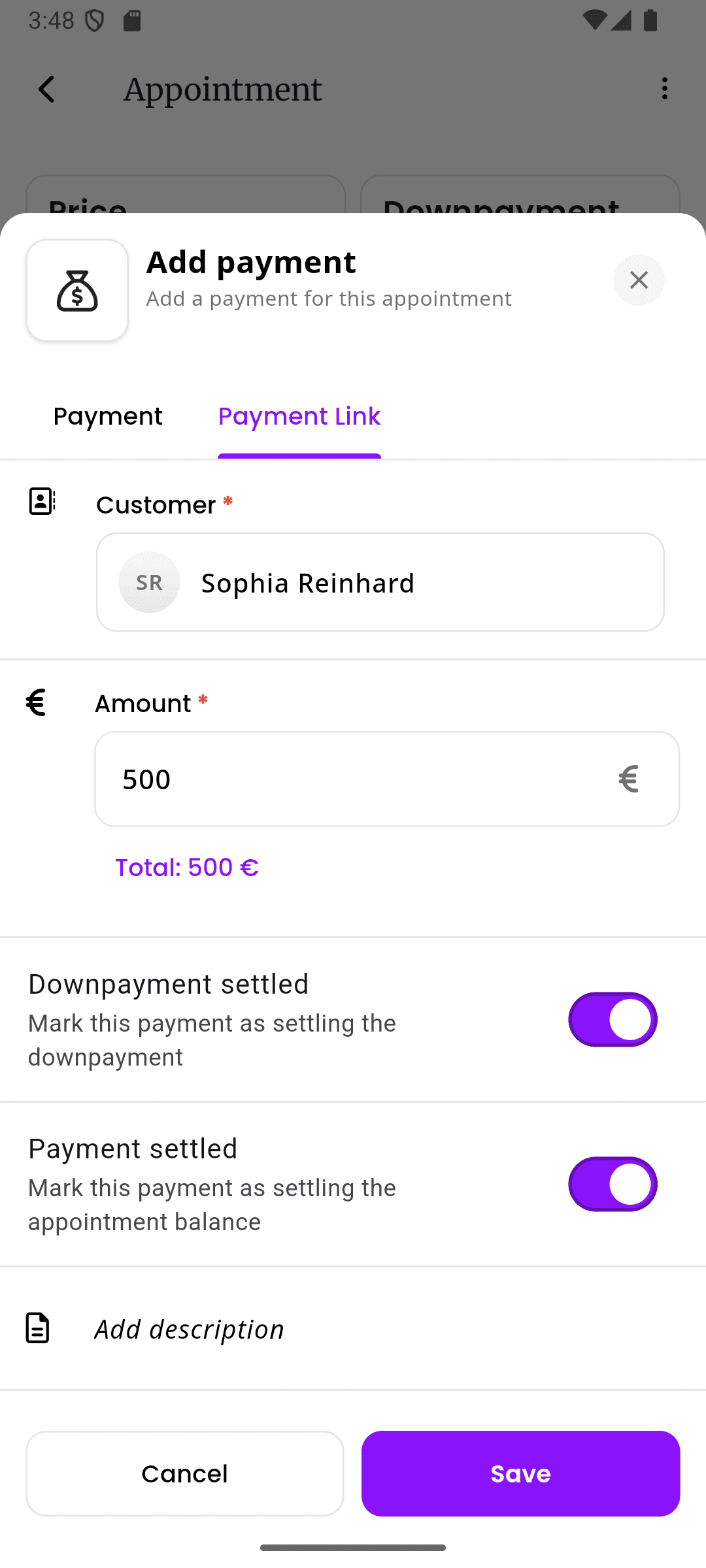
Require deposits for the services that need commitment, leave quick sessions without a deposit, or use percentages for larger work. The payment stays tied to the appointment so the remaining balance is clear.
- Fixed amounts or percentages per service
- Cards, PayPal, instant transfers, and payment links
- Deposit and remaining balance tracked on the appointment
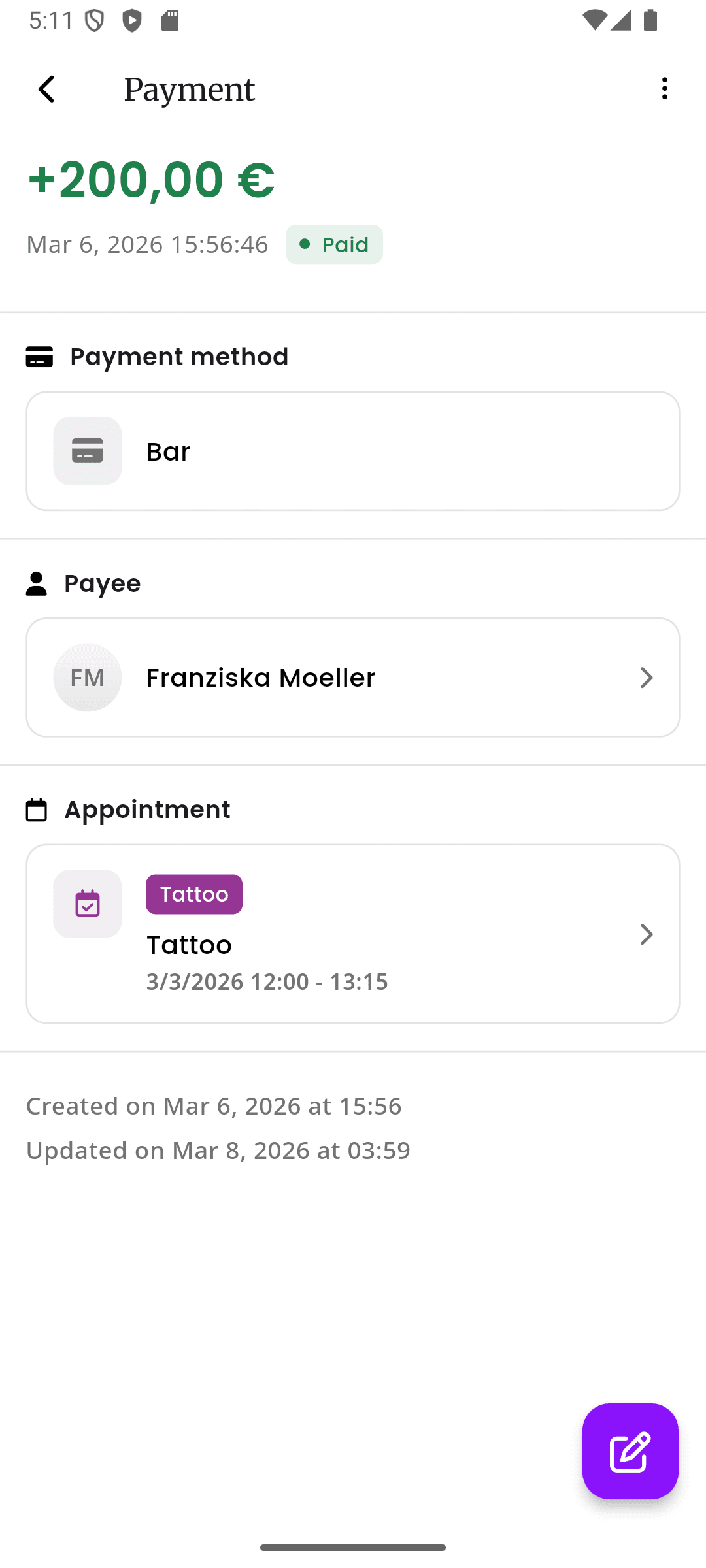
Penalty Invoices From Your Terms
If your terms say a no-show or late cancellation carries a fee, inkStar can create the invoice automatically. Charge a percentage or the full amount according to the policy the client agreed to.
- Percentage-based or full-amount penalty invoices
- Policy enforcement tied to your own customer terms
- Invoices connected to the appointment and customer
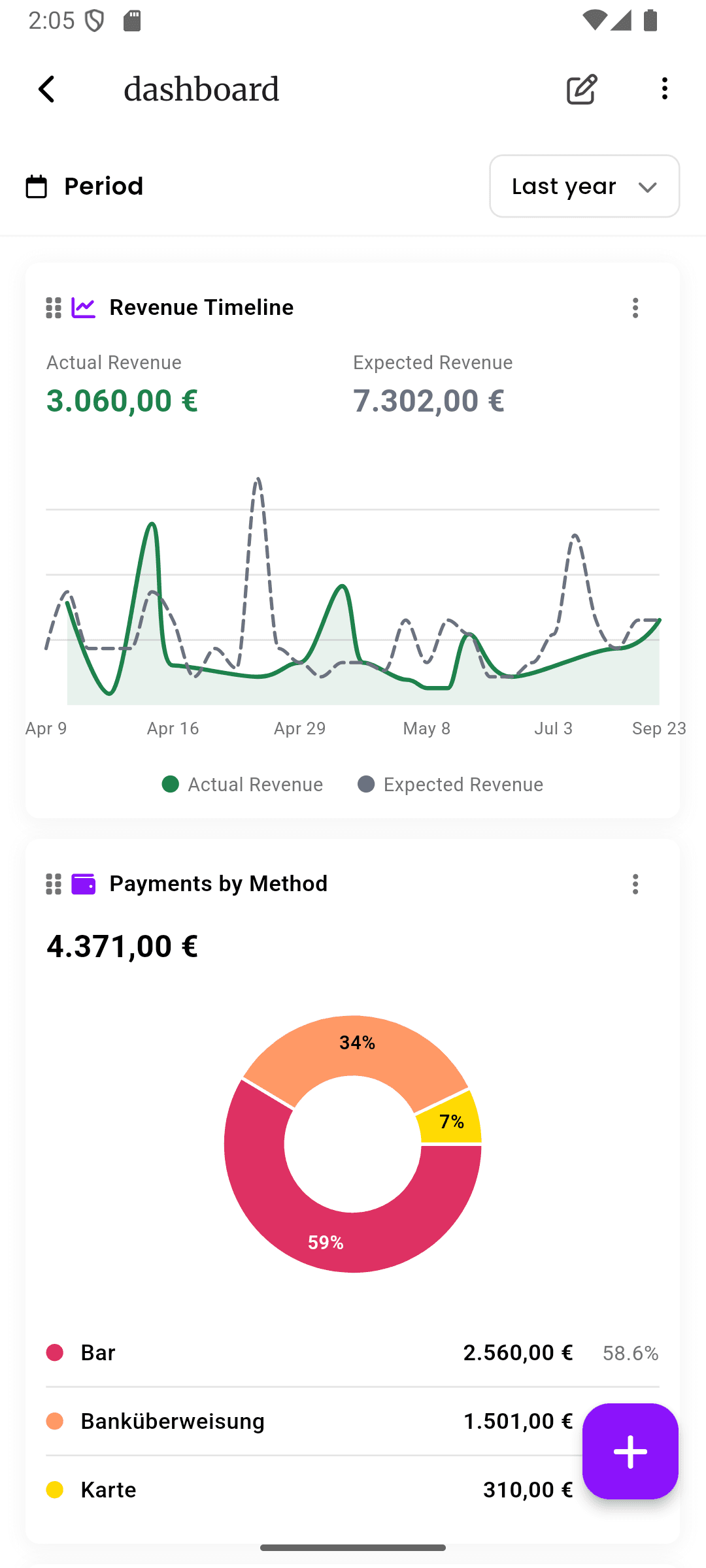
No-Show Analytics
See how often no-shows and late cancellations happen instead of guessing from memory. inkStar makes the pattern visible so you can adjust deposits, reminders, and policies with real data.
- Track the number of no-shows over time
- Compare reliability patterns across services and time slots
- Use data to refine your booking and cancellation policy
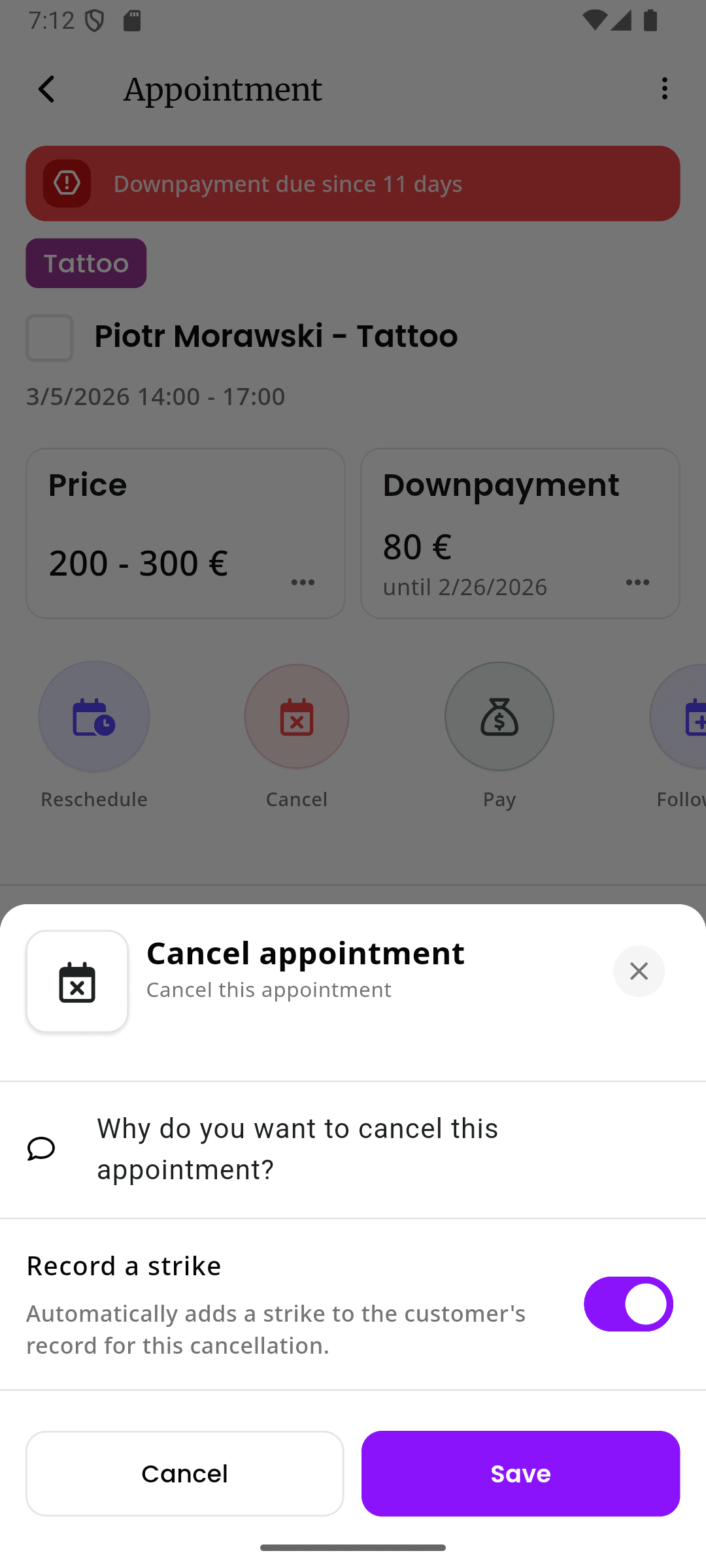
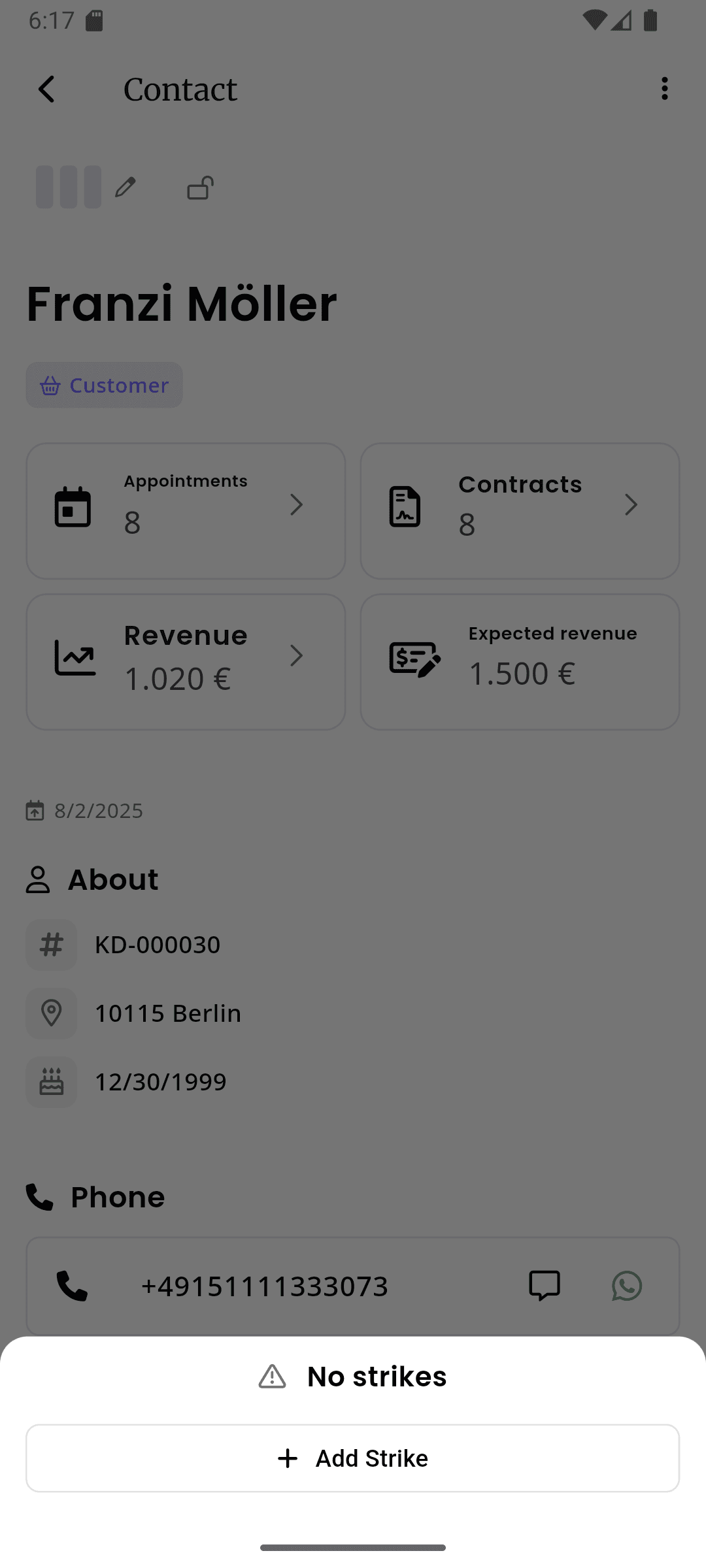
Customer Strikes for Any Reason
Give a customer a strike for a no-show, late cancellation, policy violation, or any other behavior your studio wants to track. Strikes stay on the customer profile so every team member sees the context.
- Use strikes for no-shows, late cancellations, or custom reasons
- Configure the threshold, such as 3 strikes
- Strike history follows the customer across the studio
Customer Locks With Studio-Wide Warnings
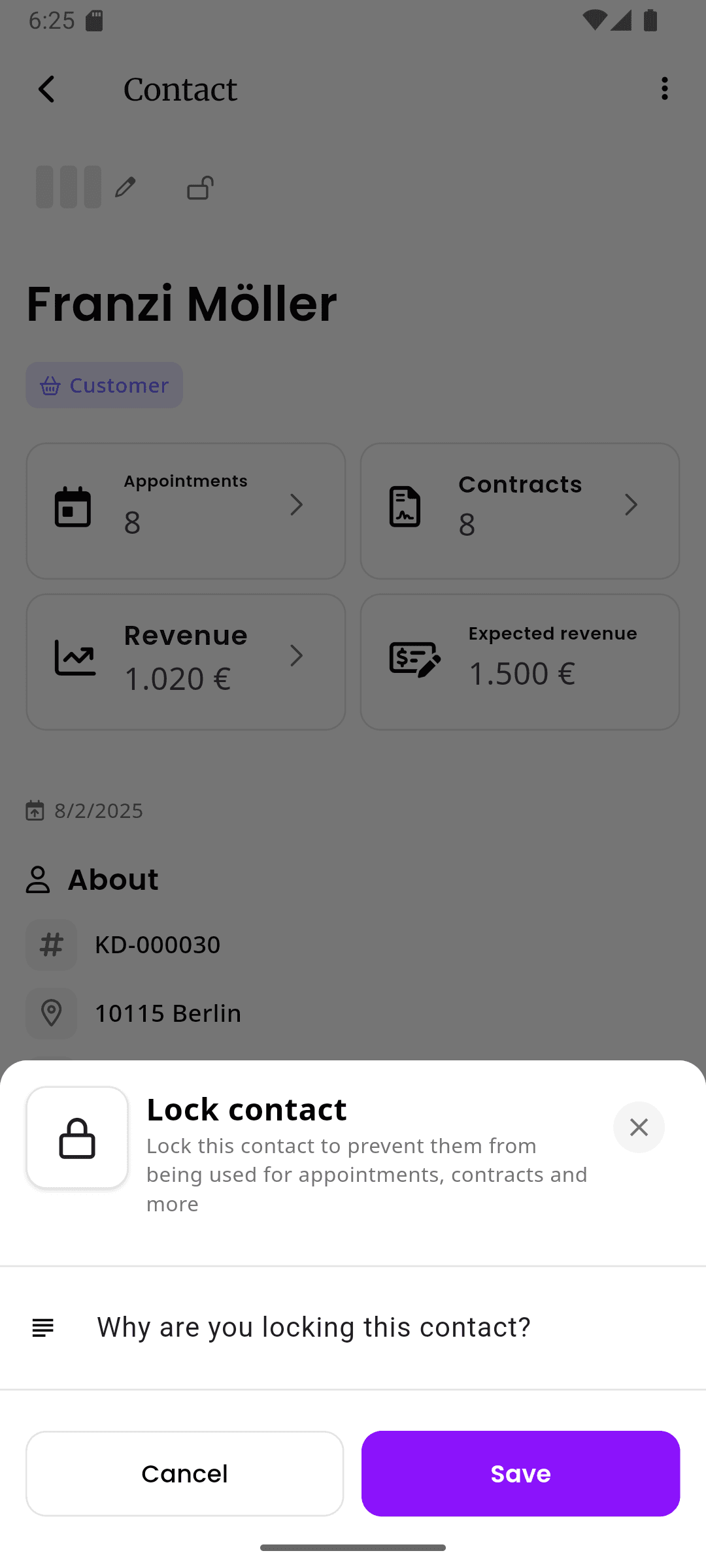
Lock unreliable customers manually or automatically when they reach your strike limit. A locked customer cannot be used for new appointments, and your team sees a warning with the reason.
- Automatically block booking after the configured strike limit
- Manual lock and unlock controls for edge cases
- Visible warning explains why the customer is locked
See the difference for yourself
Deposits reduce risk, but a complete no-show policy also needs invoices, analytics, customer history, strikes, and booking locks.
Deposit at Booking
- No Protection
- Not possible
- Manual Reminders
- Manual bank transfer
- inkStar
- Automatic at booking
Penalty Invoices
- No Protection
- None
- Manual Reminders
- Manual invoice chase
- inkStar
- Automatic from policy
Late Cancellation Rules
- No Protection
- None
- Manual Reminders
- Verbal agreement only
- inkStar
- Automatic enforcement
No-Show Analytics
- No Protection
- Mental notes
- Manual Reminders
- Spreadsheet maybe
- inkStar
- Reports and dashboards
Customer Profile History
- No Protection
- Not possible
- Manual Reminders
- Notes spread around
- inkStar
- Visible for everyone
Configurable Strike System
- No Protection
- Not possible
- Manual Reminders
- Manual judgment
- inkStar
- Custom reasons + limits
Automatic Customer Locking
- No Protection
- Not possible
- Manual Reminders
- Remember manually
- inkStar
- Locks at your threshold
Studio-Wide Lock Warnings
- No Protection
- Not visible
- Manual Reminders
- Staff must remember
- inkStar
- Warning with reason
Automated Reminders
- No Protection
- None
- Manual Reminders
- Texts and calls
- inkStar
- SMS, WhatsApp + Email
Team Consistency
- No Protection
- Depends on memory
- Manual Reminders
- Different by person
- inkStar
- Same rules for all
What studio owners say about no-show protection
See how studios use deposits, penalty invoices, strikes, and customer locks to make no-show handling consistent.
Deposits helped, but the strike system changed the way the team works.
We used to remember problem clients in our heads. Now late cancellations and no-shows are visible on the profile, and the customer locks automatically when they hit our strike limit.
Our terms are finally connected to what happens in the calendar.
If someone no-shows, the appointment, invoice, and customer profile all tell the same story. It removes the awkward manual follow-up and keeps our policy consistent.
Everyone can see why a client is locked before booking them again.
With multiple artists, the problem was communication. Now a locked customer has a clear warning and reason, so nobody accidentally puts them back into the schedule.
Frequently asked questions
Everything you need to know about deposits, penalty invoices, analytics, strikes, and customer locks.
No. Deposits are one part of the workflow, but inkStar also supports reminders, cancellation policies, policy-based penalty invoices, no-show analytics, customer profile notes, strikes, and customer locks.
If your customer terms say a no-show or late cancellation creates a fee, inkStar can generate the follow-up invoice automatically when the appointment is marked accordingly. Your studio controls the policy and wording; inkStar helps apply it consistently.
Yes. You can model your no-show fee as a percentage or the full appointment amount, depending on the terms your customer accepted. For legal enforceability, your terms should be clear and appropriate for your jurisdiction.
You can give customers strikes for no-shows, late cancellations, or any other reason your studio wants to track. The strikes stay on the customer profile, so everyone sees the reliability history before booking that customer again.
You configure the limit, for example 3 strikes. When a customer reaches that limit, inkStar can lock the customer automatically so they cannot be used for new appointments until someone with permission unlocks them.
Yes. Locked customers show a visible warning, including the reason they were locked. Studio staff cannot accidentally use them for a new appointment without seeing that context.
Yes. inkStar tracks no-shows and cancellation behavior so you can see the pattern in reports instead of relying on memory. That helps you adjust deposits, reminders, and cancellation rules based on real studio data.
Yes. You can collect deposits for selected services, send automatic SMS, WhatsApp, and email reminders, and combine those with invoices, strikes, and locks for a complete no-show workflow.
Still have questions? Chat with our team